
AI in BricknSight
Review AI suggestions before they change your records.
BricknSight uses the records you are permitted to access. Answers name their sources, and proposed changes wait for your approval.
AI in BricknSight
How AI works with your team
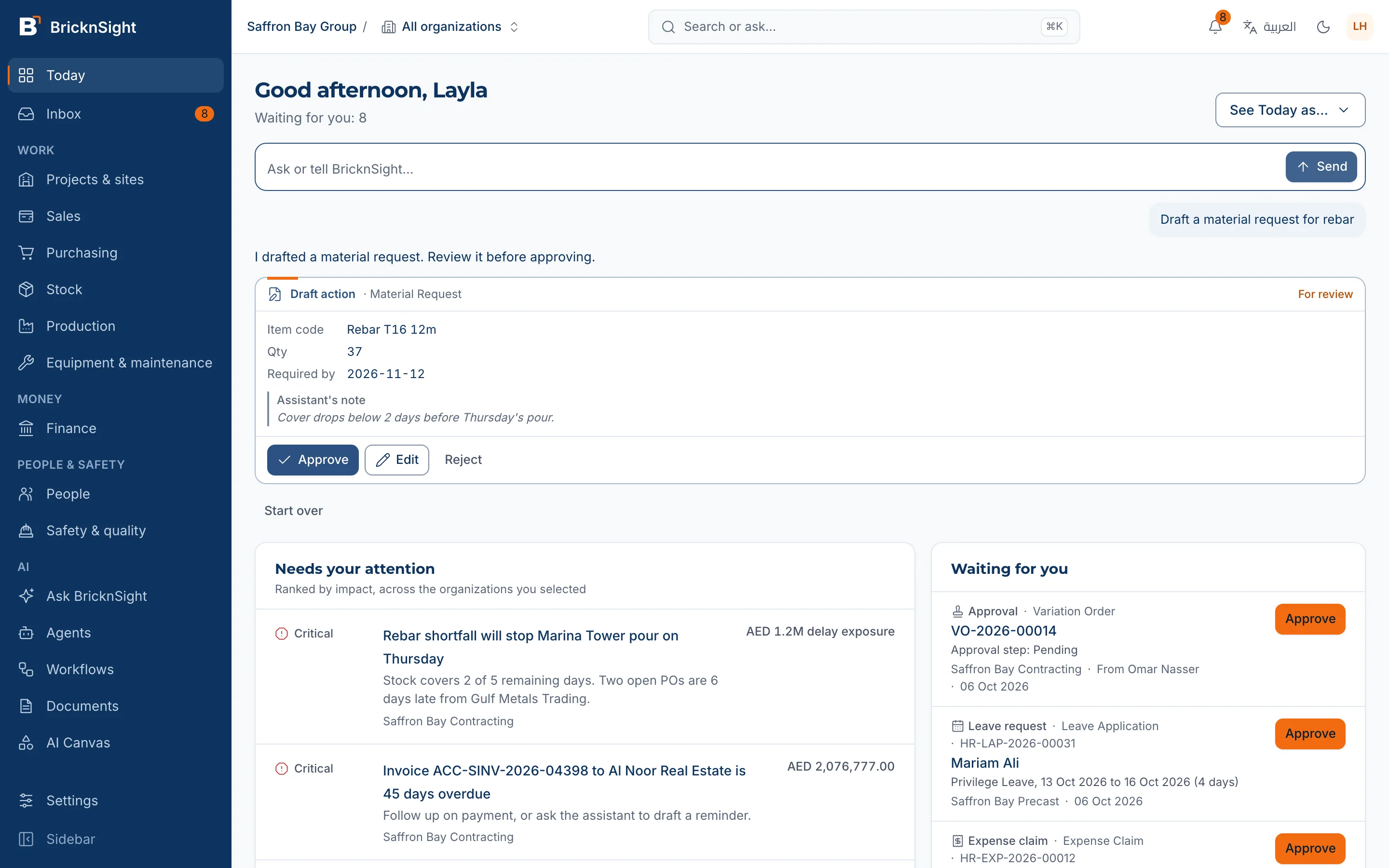
You approve the changes
Approve, edit or reject each proposed change. Applied actions are recorded in an audit trail.
Figures come from your records
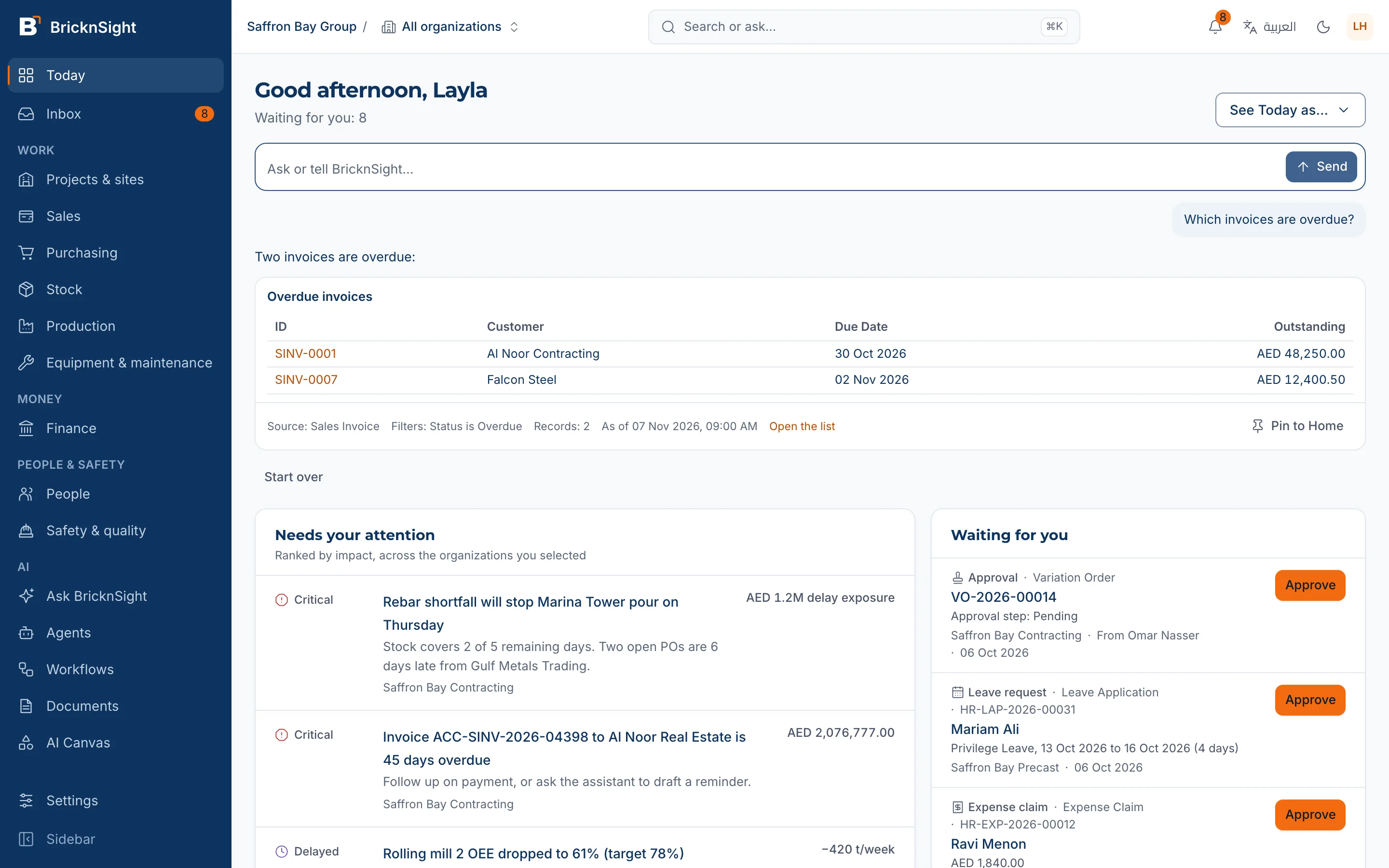
Tables and figures come from your records, and each names its source.
Your permissions still apply
The assistant works with the access of the person asking. It can read only the records that person is allowed to see.
AI in BricknSight
An answer, with its source
Answers can include tables, figures and charts from your records. Pin an answer to Home to see current data when you return.
AI in BricknSight
Review a suggestion before applying it
AI suggestions stay marked for review until a person approves them.
Discuss how your team could use AI
Tell us what you need to find in your records and which paperwork takes your team's time.
Book a demo