
Built for Sight, Designed for Control
Run your business in one ERP.
Bring accounting, sales, purchasing, stock, projects and HR together. Built for GCC teams in Arabic and English, with AI suggestions you review before anything changes.
- See the work that needs your attention
- Review and approve AI-drafted paperwork
- Follow each record and its next step
- Set up with our team, including your Excel imports
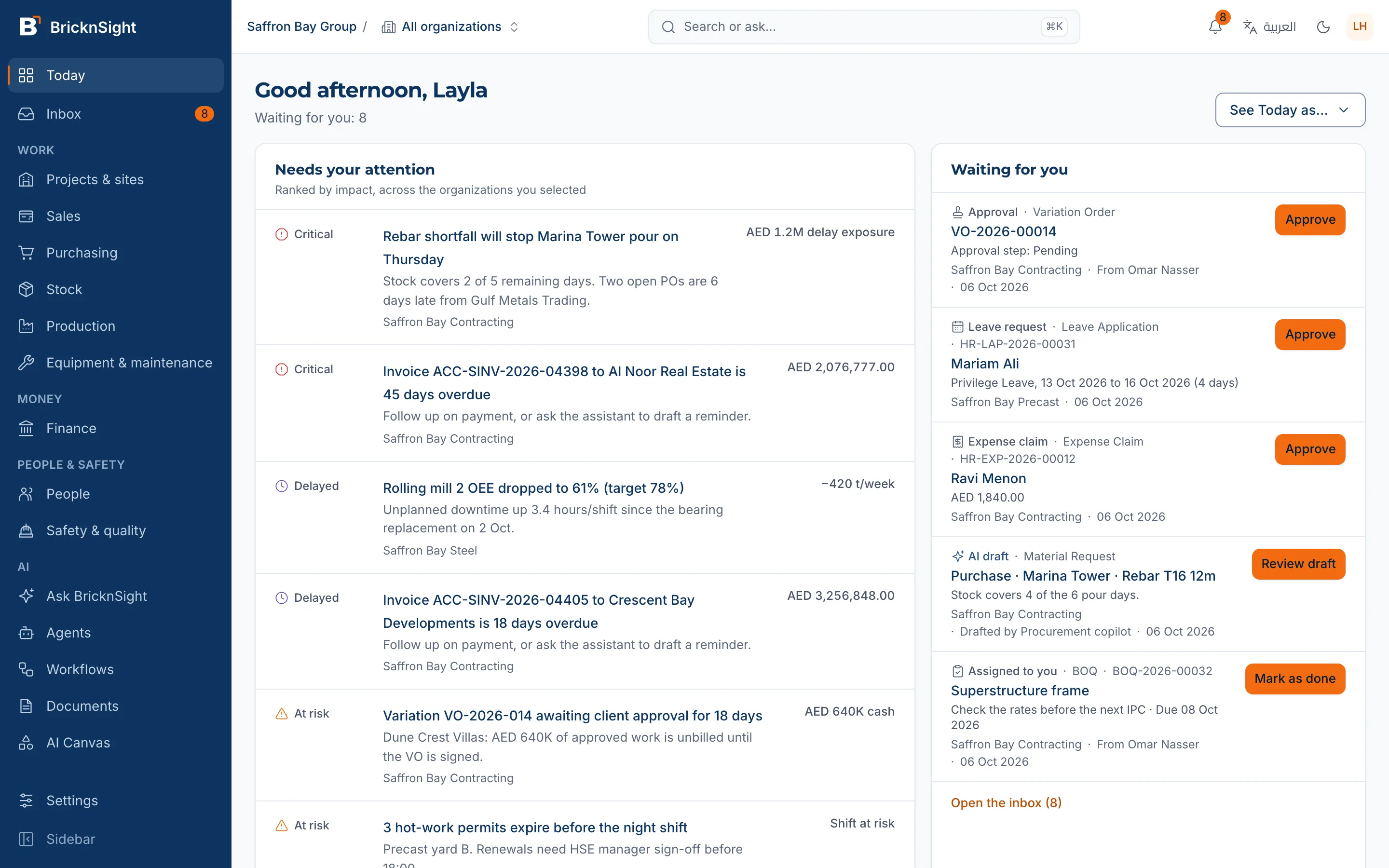
Start with the work that needs you
Ask about your records
Find answers as tables, figures and charts. Each answer names the records it comes from.
Review proposed changes
Approve, edit or reject an AI suggestion. Approved actions are recorded in an audit trail.
Follow the document trail
Open a record to see its details and next step. The document history shows the records before and after it.
Work in Arabic or English
Use right-to-left Arabic screens, GCC VAT templates, bilingual tax invoices and three-decimal currencies such as KWD, BHD and OMR.
BricknSight
Bring your departments together
Work from one ERP across your core departments, with additional tools for construction, factories and real estate.
Accounting
Your books, connected to every record.
Sales
From quote to invoice to collection.
Purchasing
From request to received goods.
Stock
Live inventory, tied to buying and selling.
Projects
Work, cost and progress in one place.
HR
People, payroll records and leave.
Each client has a separate workspace. Permissions control access within it.
Tools for the way your sector works
The shared ERP covers your core departments. Construction, factories and real estate development have additional tools for their workflows.
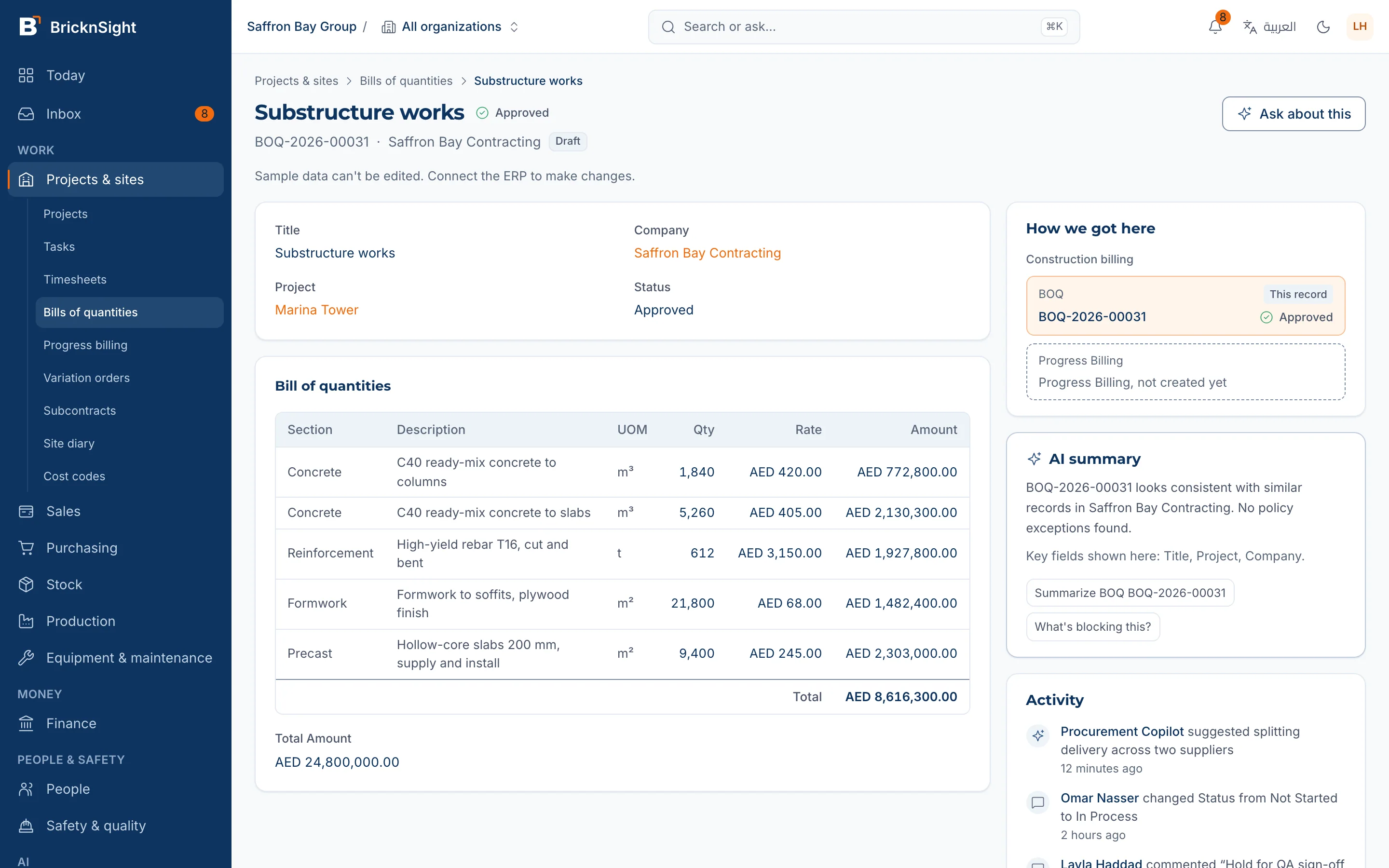
Construction
Bills of quantities, progress billing (IPCs) from the BOQ, invoices with retention, variation orders, subcontracts, site diaries and cost codes.
Learn moreFactories
Safety incidents, permits to work and overall equipment effectiveness (OEE) by line, alongside manufacturing, stock and quality.
Learn more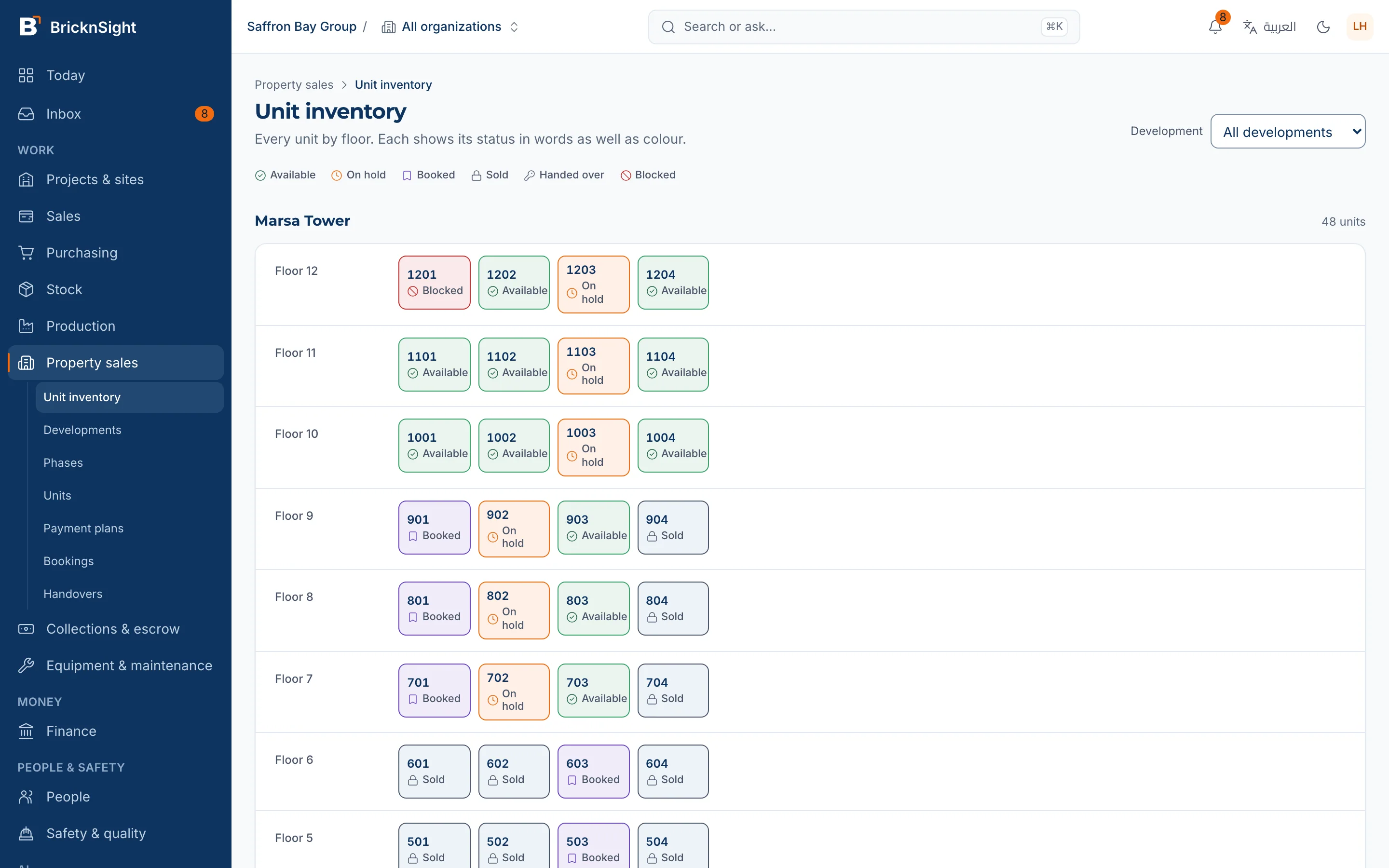
Real Estate Development
Unit inventory board, payment plans, bookings, installments and collections, one escrow account per development, broker commissions and handover.
Learn moreKeep the next step in sight.
Follow a construction workflow from quantities to billing. Each record keeps the work and its next step connected.
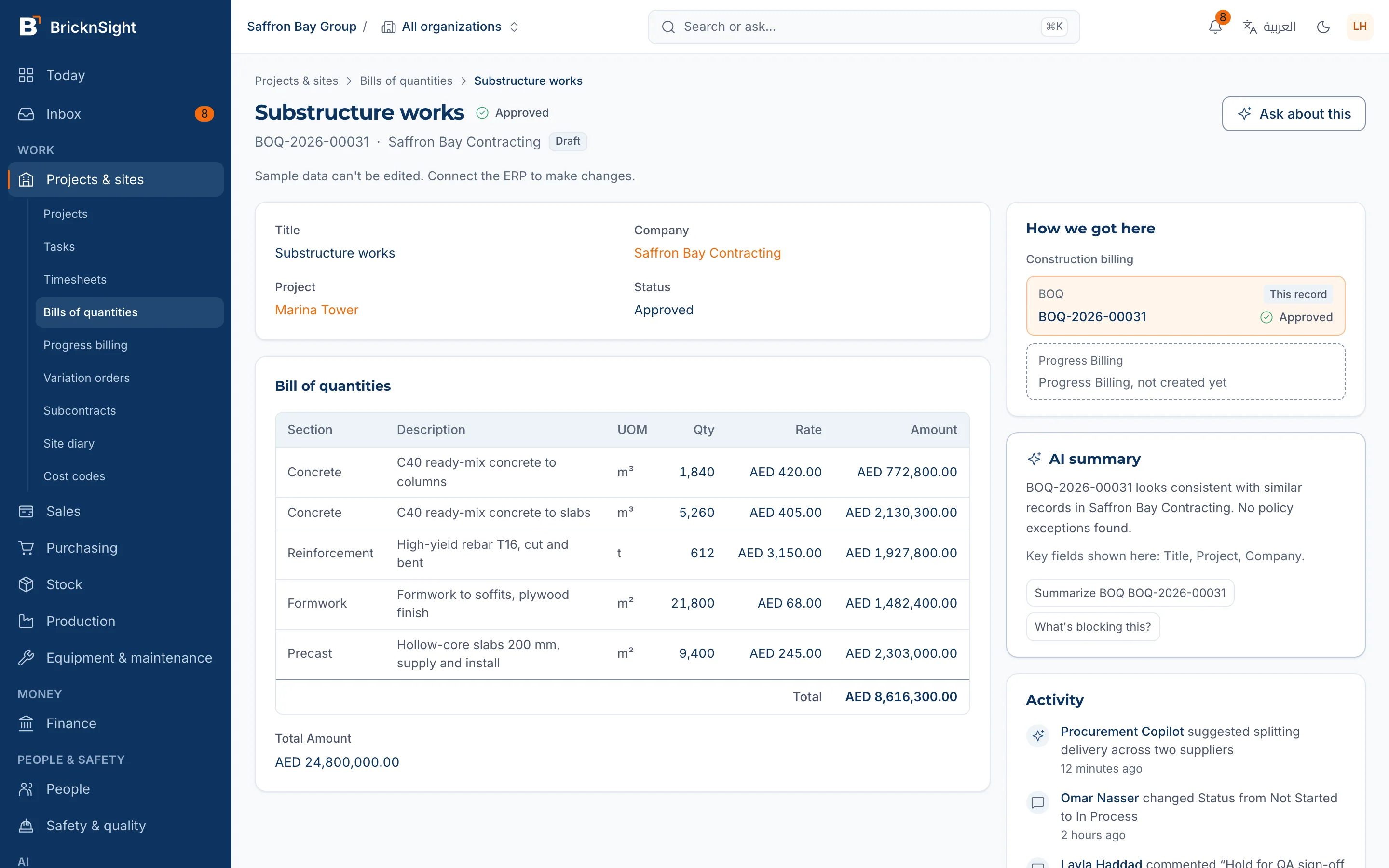
Start with the quantities
Keep the bill of quantities, project details and cost lines together in one record.
Measure work for billing
Prepare progress billing from the bill of quantities, with a trail back to the source record.
Carry it into the invoice
Continue to the invoice with retention visible, so your team can follow what is billed and what is held.
AI
Keep control of AI suggestions
Ask about the records you can access. Answers name their sources, and your team reviews proposed changes before they are applied.
Learn more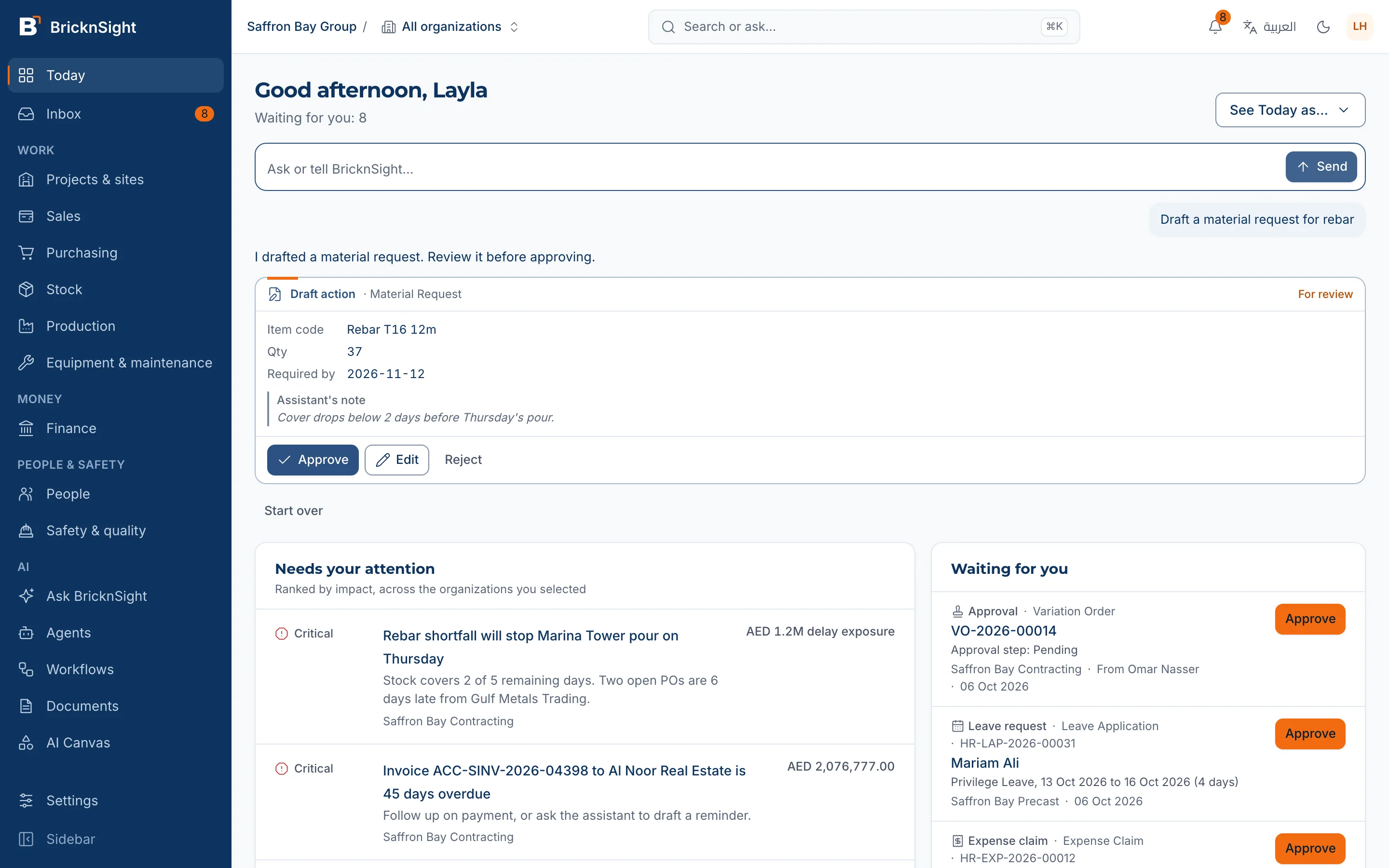
Review the proposed request, make changes or reject it. Approved actions are recorded in the audit trail.
Find the workflows that fit your business
Explore sector tools or the shared ERP modules. Our team can discuss how they fit your requirements.
Contractors run their real day
Manage bills of quantities, interim payment certificates, retention, variations and subcontractors with your project records.
See constructionSafety, permits and OEE by line
Manage safety incidents, work permits and line performance, alongside manufacturing, inventory and quality.
See factoriesSell units and collect installments
Review unit status, payment plans, collections and handover. Ask our team about current availability.
See real estatePurchasing, inventory and sales
Use the core purchasing, stock, sales and accounting modules to manage your business records.
- Accounting, sales, purchasing, stock, projects and HR
- Arabic and English screens
- Setup guided by our team
Projects, people and billing
Use projects, HR and accounting together. Our team can discuss your billing and reporting requirements.
- Accounting, sales, purchasing, stock, projects and HR
- Arabic and English screens
- Setup guided by our team
Discuss your business requirements
Start by discussing your requirements with our team. The shared ERP includes accounting, sales, purchasing, stock, projects and HR.
- Accounting, sales, purchasing, stock, projects and HR
- Arabic and English screens
- Setup guided by our team
Purchasing, inventory and accounting
Explore the core purchasing, stock and accounting modules. Discuss any specialist fleet or logistics requirements with our team.
- Accounting, sales, purchasing, stock, projects and HR
- Arabic and English screens
- Setup guided by our team
Sales, inventory and purchasing
Explore the core sales, stock and purchasing modules. Discuss point-of-sale or e-commerce requirements with our team.
- Accounting, sales, purchasing, stock, projects and HR
- Arabic and English screens
- Setup guided by our team
Administrative business functions
Explore purchasing, stock, projects and HR for business administration. Discuss specialist clinical requirements separately.
- Accounting, sales, purchasing, stock, projects and HR
- Arabic and English screens
- Setup guided by our team
Frequently asked questions
What is BricknSight?
BricknSight is a business ERP from Bridges for GCC teams. Accounting, sales, purchasing, stock, projects and HR share one system, with Arabic and English screens and additional tools for construction, factories and real estate development.
How does the AI work?
The assistant answers questions from the business records you can access and names its sources. You review, edit or reject proposed changes before they are applied. Applied actions are recorded in an audit trail.
Is it ready for GCC VAT?
Yes: VAT templates, three-decimal currencies (KWD, BHD, OMR), and a bilingual tax invoice.
How much does it cost?
Contact our team to discuss your requirements and pricing. Public pricing packages are not available yet.
Can I sign up and start now?
There is no self-serve sign-up. The path is: a demo with our team, then a two-week trial when trials open, then onboarding led by our team, then go-live.
Where is my data hosted?
Product workspaces are hosted on AWS in Frankfurt, Germany. Website demo requests are sent through EmailJS to our team's inbox.
Is there a mobile app?
BricknSight is a responsive web application you can use in your phone's browser. A native mobile app is not currently available.
Tell us what you need from your ERP
Share a little about your business and the workflows you want to improve. Our team will contact you to arrange the next step.
Book a demo